Rentlio
4 min
To use this integration you need to have an account with Rentlio.
Step 1. Copy the API key from Rentlio
- Log in to Rentlio and click on your user icon at the right top corner of Rentlio: https://app.rentl.io/app

- Click on Developers
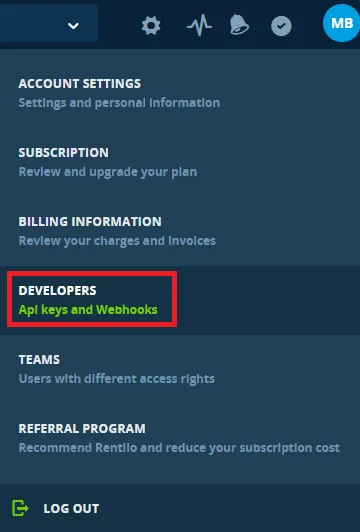
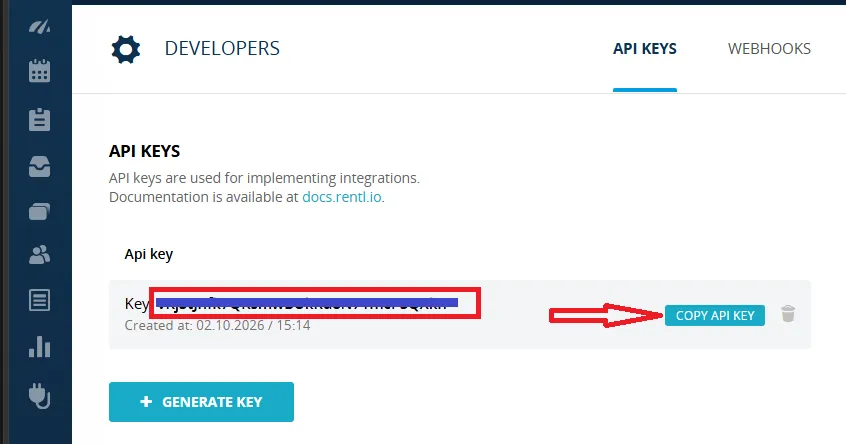
- Copy your API key to the clipboard (by either text selection as on the left or clicking on the light blue button "COPY API KEY" as on the right)
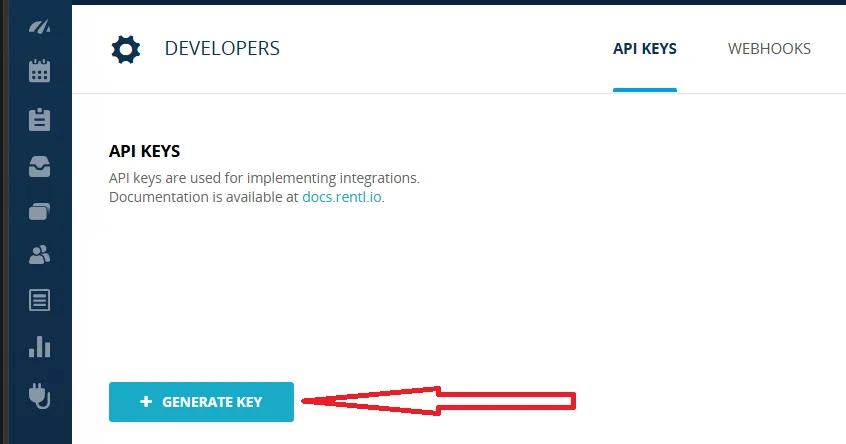
- If there is no API key, you should click on "+ GENERATE KEY" button and repeat what in the above bullet-point:
Step 2. Paste the API key into Lula.Cleaning
- Log into Lula Cleaning dashboard with the main account
- Go to Rentlio integration page: https://app.lula.cleaning/rentlio/user-integrations
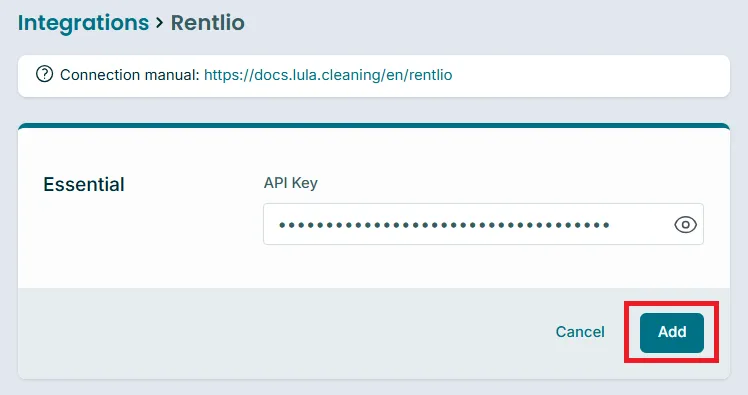
- Paste the API key from the clipboard here:
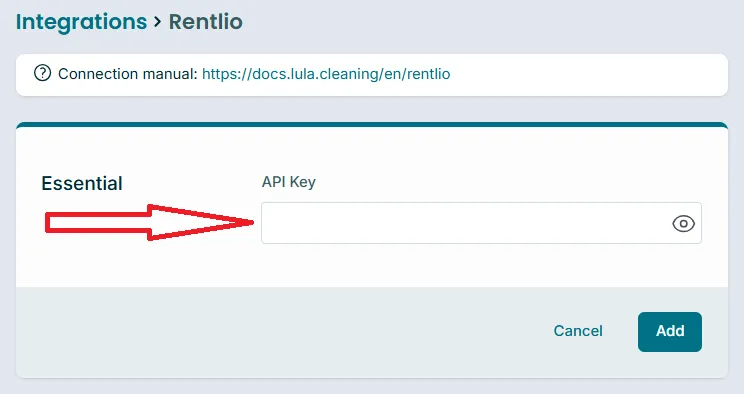
- Click the "Add" button
Properties and bookings should be synced immediately. You may now go to the main reservations list https://app.lula.cleaning/
Watch Lula.Cleaning video tutorial here
Install Lula.Cleaning as the application and activate notifications
Lula.Cleaning app is not directly available at App Store or Google Play. It is installable as the application from within the browser. Manuals are available here:
PS. You may even install Lula as the app on Windows or Mac and activate notifications there as well.