Setting up Google Calendar
4 min
To show your availability in Lula, you need to create a separate calendar from Google. Calendars are available after logging into Google:
- in the upper right corner of the browser
-
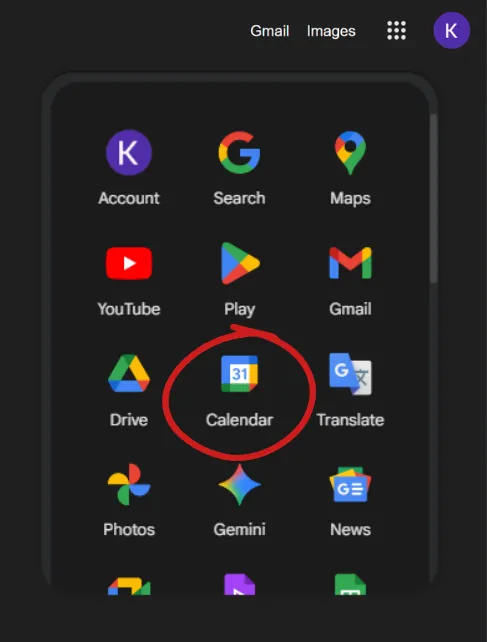
- or from the url: https://calendar.google.com/calendar/u/0/r
What to do
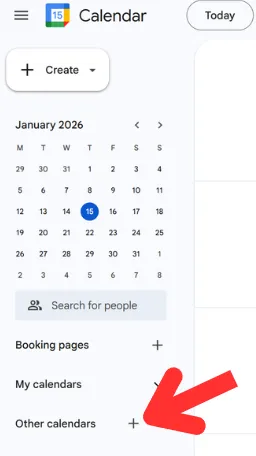
Step 1
click the "+" next to "other calendars"
Step 2
click on "Create new calendar"
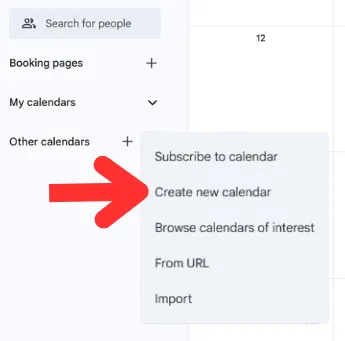
Step 3
click 'Create new calendar'
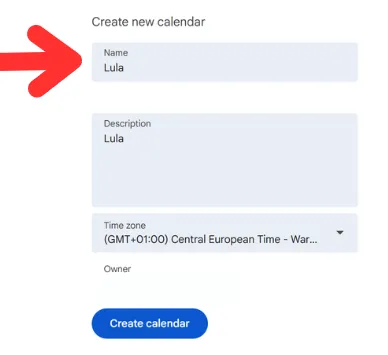
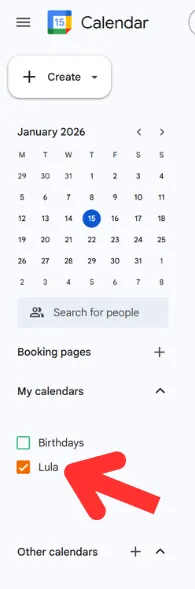
After completing the above steps, in the list of calendars (My Calendars)
a newly created Lula calendar will appear
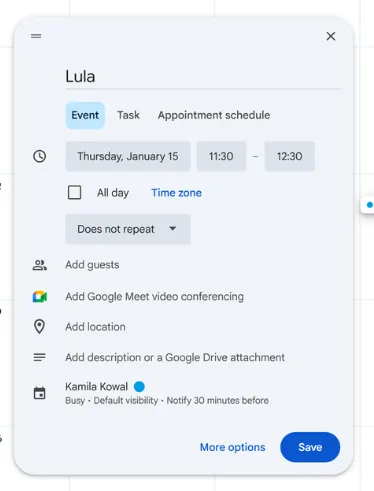
Entering availability (example):
IMPORTANT: The task has to be named Lula - otherwise the system will not catch it