Guides for your team - set up
Guides for cleaners, handymen, and managers.
This is a place where you can keep the most important rules, standards, and information your team needs in their daily work. Everyone can easily access the guidelines without managers having to answer the same questions over and over again.
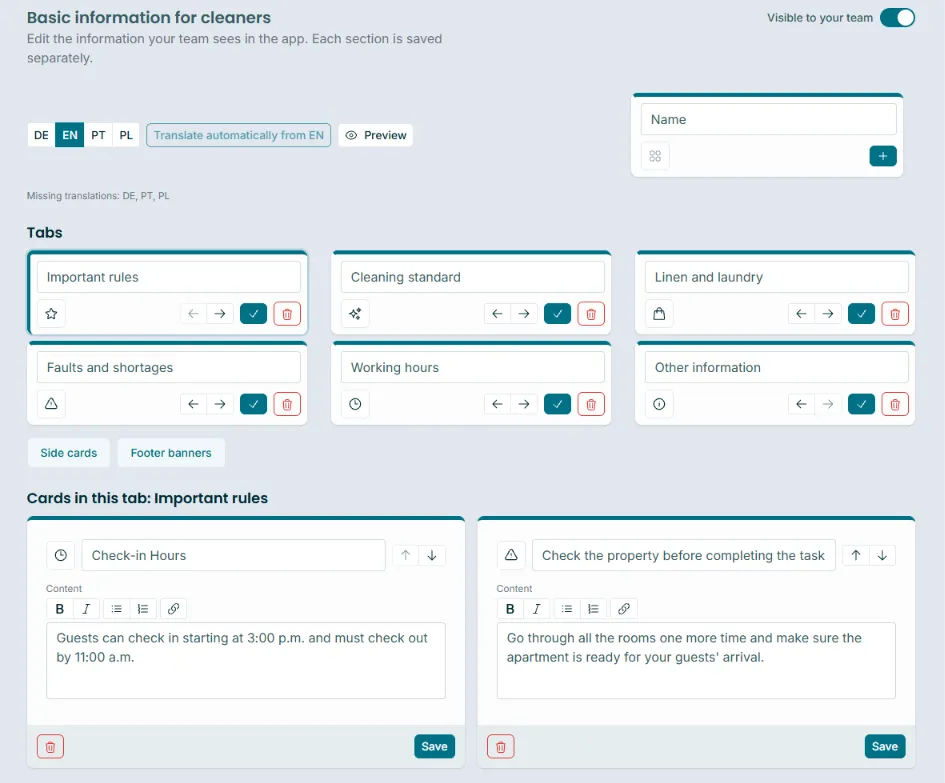
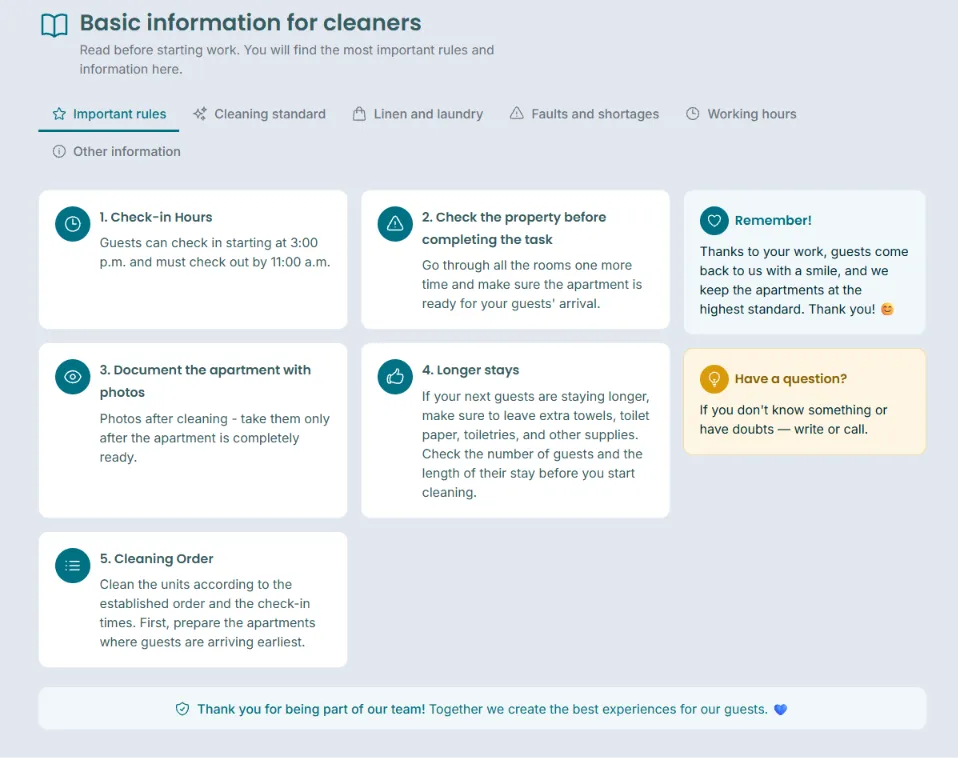
You can create separate guides for:
🧹 Cleaners
🔧 Handymen
👤 Managers

Within each guide, you can create your own sections, such as Important Rules, Cleaning Standards, Linen & Laundry, Maintenance Issues & Missing Items, Working Hours, or any other topics relevant to your team.Each section can contain specific instructions and practical information. For example, working hours, what to do with used linen, your standards for preparing a property, how maintenance issues should be reported, or the order in which tasks should be completed.
One standard for your entire team
Guides help you keep your standards consistent across the whole team.They are also especially useful when onboarding new team members. Instead of explaining all the rules from scratch every time or searching through old messages, you can keep everything in one place that your team can come back to whenever they need it.Fewer repetitive questions. Fewer misunderstandings. Easier onboarding and more time saved for you and your team. 😊
Where can you create your Guides?
From the main account or a manager account, click the gear icon and select “Guides”: https://app.lula.cleaning/team-guide
There, you can prepare separate content for cleaners, handymen, and managers and create your own sections.While preparing a Guide, you can save your progress without making it visible to your team yet. Simply use this toggle:

Where can your team access the Guides? 📖
Each group can access their Guide directly from the part of Lula they use every day.🧹 Cleaners can access their Guide from the top bar in the app.
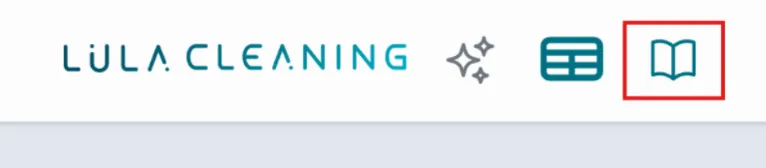
🔧 Handymen can access their Guide using the icon available on the damages list.👤 Managers will find a book icon next to the “Team Guides” section. Clicking “Team Guides” opens the editing section, while the book icon opens the finished Guide view exactly as it appears to team members when they read it.

The book icon will appear once content has been added to the relevant Guide.